Frequently Asked Questions
Welcome to the Tilly Knowledge Base
Your go-to resource for everything you need to know about integrating, using, and maximizing Tilly’s loyalty platform.
Whether you’re a new partner, a business looking to set up your loyalty program, or a customer curious about how Tilly works, we’ve got you covered with step-by-step guides, FAQs, and troubleshooting tips. Explore our articles and find the answers you need!
Getting Started & Account Setup
New to Tilly? Start here!
How do I sign up as a retailer?
To get started with Loyal Tilly, visit loyaltilly.com/retailer-signup and complete the registration form. You’ll need to provide your name, email address, phone number, business name, industry, and business address. This information is required so we can send you a retailer pack by post, which includes your beacon and marketing materials.
Watch our Retailer Setup Walkthrough
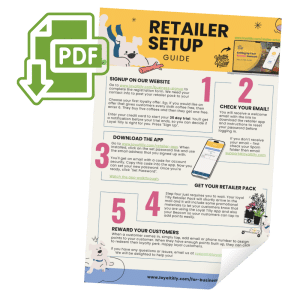
Download The Retailer Instructions Sheet
What happens after I sign up?
After completing the signup form, your account will be set up and you’ll receive a welcome email with a link to download the retailer app and instructions to set your password before logging in. If you haven’t received your email, please check your spam folder first.
How long is the trial period?
You get a 35-day trial period to test Loyal Tilly. You’ll receive a notification reminder before your trial ends so you can decide if Loyal Tilly is right for your business.
What payment information do I need to provide?
You’ll need to enter your credit card details to start your 35-day trial. This allows you to test the full functionality of the platform before committing to a subscription.
Retailer App Questions
How do I download and install the retailer app?
Use the link provided in your welcome email to be taken to either the App Store or Google Play Store (depending on your device) to download the retailer app.
You can watch the full walk through of installing the app in our video:
How do I set up my password?
Once the app is downloaded and installed, click on the “set password” link and enter the email address you signed up with. You’ll be sent another email with a security code. Copy this code from your email and paste it into the app, then you can set your new password.
What can I do in the retailer app?
The app has four main screens:
- Explore Screen: Scan customer cards and manage transactions
- Customers Screen: View statistics for all your customers and see your current pricing tier
- Offers Screen: Edit your loyalty card, change card name, description, and adjust stamp requirements
- Settings Screen: Update subscription details, add your business image, set business location, and log out
How do I create my first loyalty offer?
During signup, you’ll choose your first loyalty offer. For example, if you want to give customers every sixth coffee free, you’d enter “6” – customers buy five coffees and get the sixth one free.
Can I change my loyalty offer after setup?
Yes! You can edit your loyalty card through the Offers screen in the app. You can change the card name, description, and adjust the number of initial stamps and total stamps needed to redeem the offer.
What types of rewards can I offer?
Loyal Tilly uses a flexible stamp-based system. You can set any number of purchases required before customers earn their reward. Common examples include “buy 5, get 1 free” or “buy 10, get 1 free” depending on your business model.
Beacon & Hardware
What is the beacon and why do I need it?
The beacon is a small device that allows your customers to easily tap and add points to their loyalty account. It eliminates the need for physical cards and makes the loyalty process seamless for both you and your customers.
When will I receive my beacon?
Your beacon will arrive in the Loyal Tilly Retailer Pack within a few days after signup. Until your beacon arrives, you might not see your stamp card in the app – this is normal.
What else comes in the retailer pack?
Along with your beacon, you’ll receive promotional materials to let your customers know you’re using Loyal Tilly. This helps increase awareness and adoption of your loyalty program.
Do I need special hardware or equipment?
No dedicated hardware is required beyond the beacon we provide. The system integrates with your existing setup and you can be up and running in minutes with usage-based costs.
Customer Management
How do customers join my loyalty program?
Customers can tap your beacon, or you can manually add their email or phone number through the app to assign points. The system is designed to be quick and easy for both customers and retailers.
How do customers redeem rewards?
When customers have built up enough points, they can click to redeem their loyalty perk through the app. You can manage and verify redemptions through your retailer app.
Can I see customer statistics?
Yes, the Customers screen shows you comprehensive statistics for your account across all customers, including engagement metrics and your current pricing tier with Loyal Tilly.
Will customers know about other Tilly retailers?
Yes, one of the benefits is that users can see all Tilly retailers nearby, which can increase footfall to your business, especially during events or when people are traveling.
Technical Support & Troubleshooting
What if I don't receive my welcome email?
First, check your spam folder. If the email isn’t there, contact support@loyaltilly.com and we’ll be happy to help you out.
What if my beacon isn't working?
If you’re having issues with your beacon or don’t see your stamp card in the app, this is usually because the beacon hasn’t been fully activated yet. Contact support@loyaltilly.com for assistance.
Who do I contact for help?
For any questions, issues, or technical support, email support@loyaltilly.com. Our support team will be delighted to help you with any concerns.
Can I get help with setup?
Yes, if you encounter any problems during the setup process or need assistance with any aspect of your account, our support team is available to guide you through the process.
Business Benefits, Prices & Features
How does Loyal Tilly help grow my business?
Loyal Tilly helps you track customer engagement, boost foot traffic, and send personalized offers while supporting local community causes. The system provides powerful analytics to understand your customers better.
What makes Loyal Tilly different from other loyalty programs?
Loyal Tilly focuses on “loyalty with heart” – customers want their shopping to support causes they care about. The platform allows you to grow customer loyalty AND give back to the community without hassle.
How does the cardless system work?
Our cardless system eliminates the need for physical stamp cards, reducing printing costs and environmental waste. Customers use the app or tap the beacon instead of carrying physical cards.
How much does Loyal Tilly cost?
Loyal Tilly uses usage-based pricing, meaning you only pay for what you use. There are no high setup costs or dedicated hardware expenses beyond the beacon we provide.
Are there different pricing tiers?
Yes, you can see your current pricing tier in the Customers screen of the app or check out the For Business page. The tier system is based on your usage and business size.
What costs does Loyal Tilly help me save?
You’ll save on card printing costs and reduce waste from lost or discarded stamp cards. The system also eliminates the need for expensive dedicated hardware.
Unleash Irresistible Rewards For Your Business
Sign up now and let Tilly be your loyal companion in driving sales, reducing waste, and building community. Get started with a seamless loyalty system that’s ready to boost your business